
Guide : Decision tree
Facilitate access to relevant, contextualised, and personalised information to resolve common issues without direct assistance, while ensuring consistent responses and a user-friendly experience across all media.
Goal
Designed an interactive decision-making guide with intelligent, personalised navigation and automated multilingual translation, simplifying the management of global, multilingual knowledge bases.
-
The company wants to transform information management and customer support by offering an interactive and scalable solution: decision guides in the form of decision trees that are easy to create, use and maintain. The sector context (B2C retail, multilingual, international teams) requires the Smart Tribune platform to be accessible to all employees, even non-experts, so that they can build resolution paths for their internal and external users. The old method of static documentation, difficult-to-use FAQs and scattered procedures no longer meets the needs for speed, personalisation and optimisation of support resources.
-
Complexity and lack of intuitiveness of traditional tools
Users are hindered by creation processes that are too long or too technical to design effective decision trees.Heterogeneity of content and pathways
Documentation that is too generic or poorly structured leads to responses that are irrelevant or unsuitable for the specific cases of end users.Lack of customisation and easy multilingualism
Contributors, who are often not linguists, struggle to adapt their guides for multiple languages and contexts without technical support.
Difficulty monitoring and improving performance
Usage tracking (visits, satisfaction, unsuccessful searches) is not integrated in an intuitive way, which limits continuous optimisation.
Overloading of human support
Numerous recurring requests persist due to a lack of user autonomy, which puts a strain on the support team and slows down resolution.
-
Clarify the decision tree and navigation logic, drastically reduce dependence on customer support through robust and predictive UX organisation.
Design a responsive interface for desktop/mobile, promoting autonomy and efficiency, based on specific business user stories (consultation, editing, monitoring, categorisation of guides).
Enable large-scale content customisation and translation for multilingual and contextual tasks.

How might we …
Help stewards independently design and structure decision trees that are intuitive and engaging for their users?
Design process
Discovery & Research
Workshops
Workshops with support, sales and operations teams to identify needs, workflows and areas of friction, including performance monitoring and multilingual management.
Personas
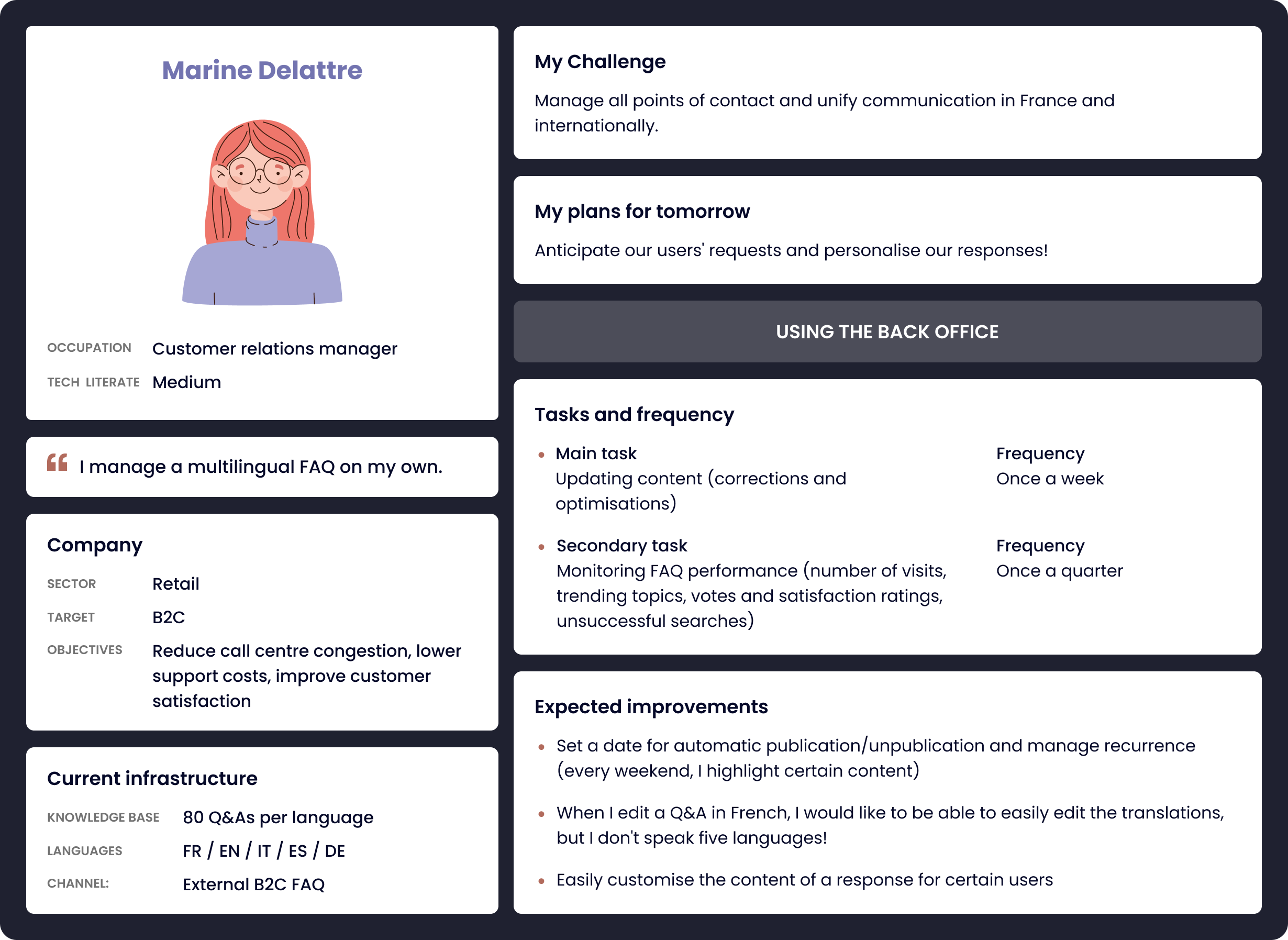
Modelling user journeys using detailed personas (main task: weekly updates, monitoring, continuous improvement).
User Stories
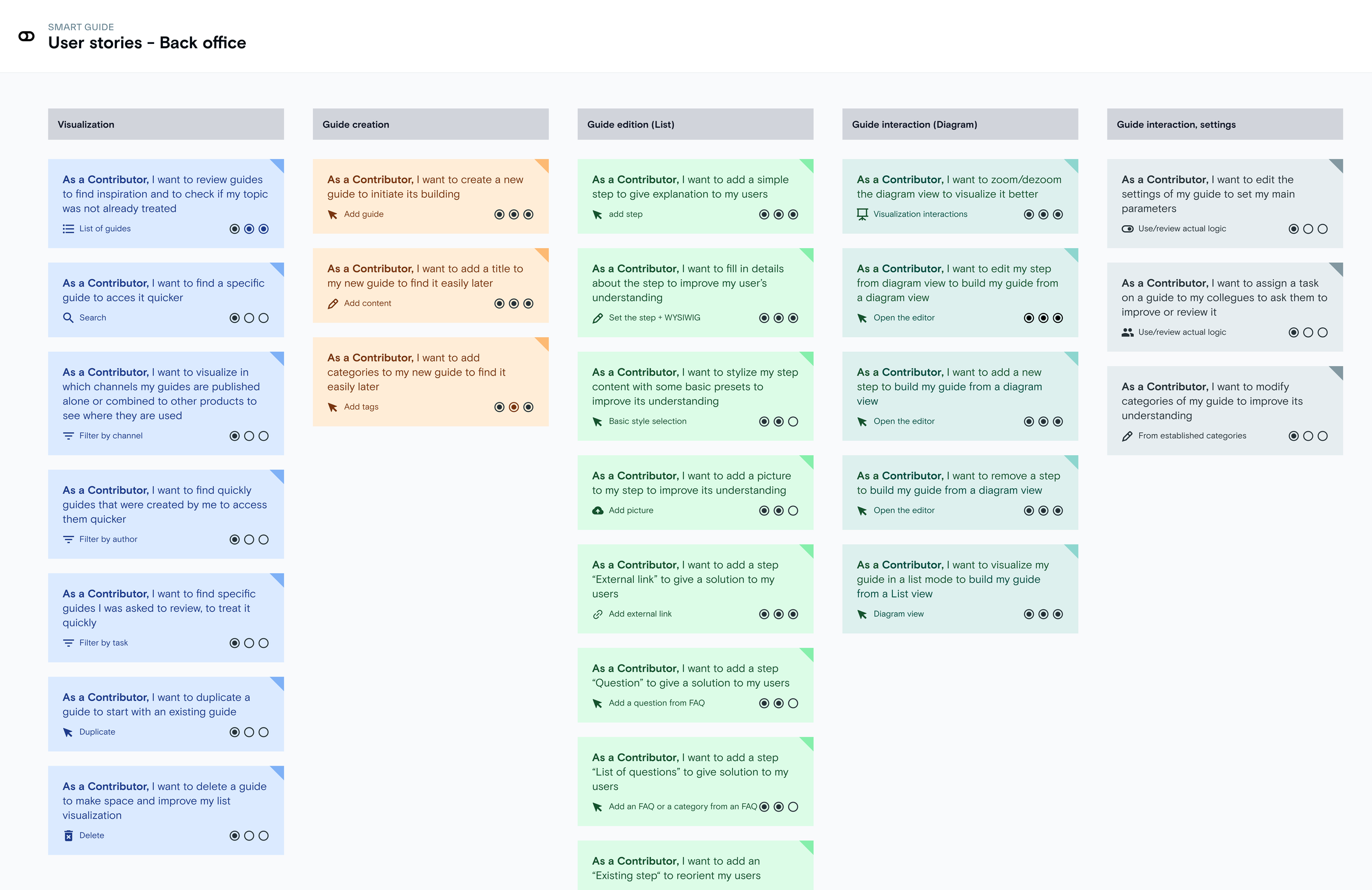
Formalisation of user stories for each key back office action: creation, editing, viewing, interaction and settings, with granularity on business needs.
UX design
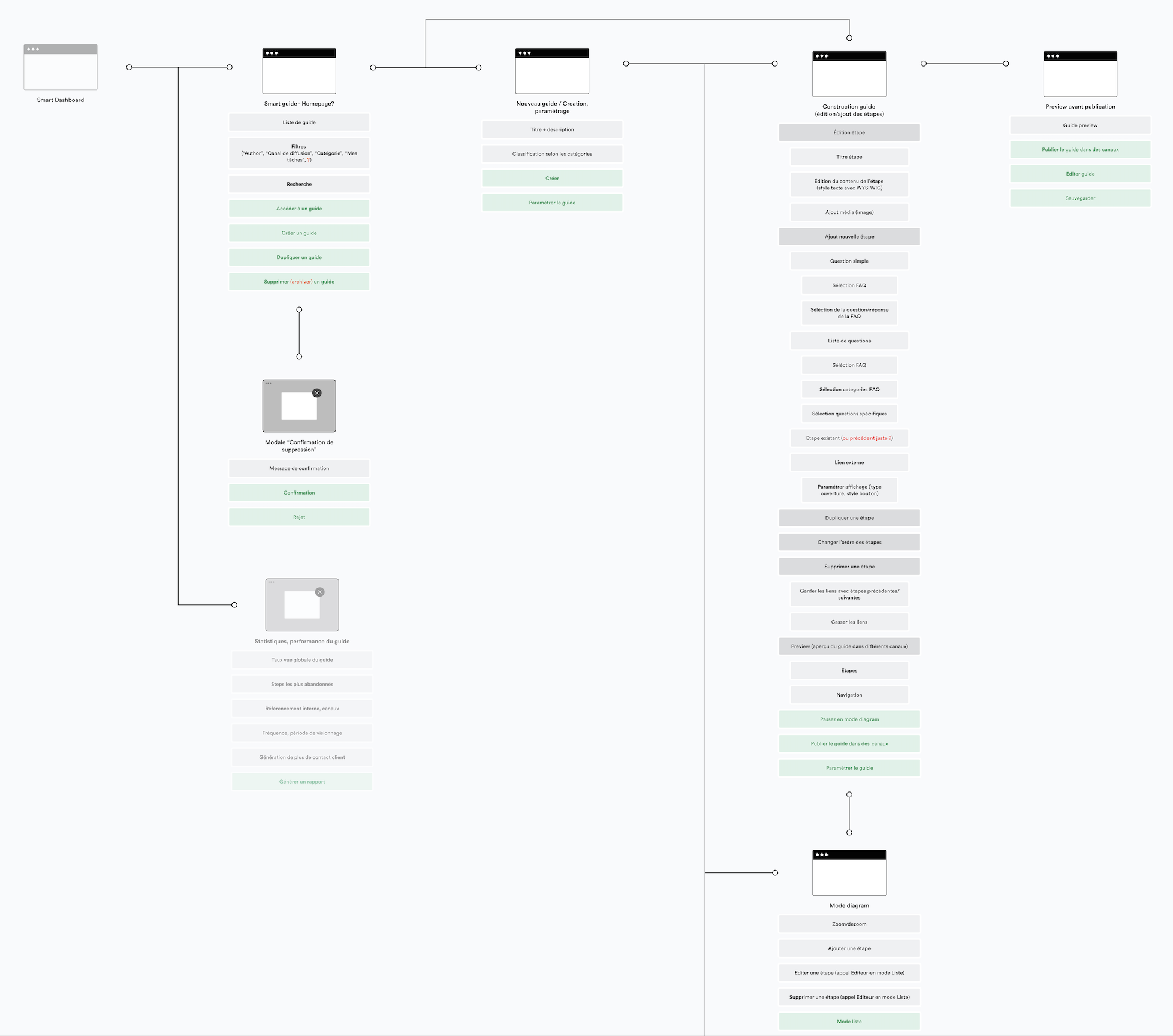
Detailed mapping of user journeys, tailored to the type of guide and the expected task (inspiration, quick search, review, publication, deletion).
Creation of a decision tree structure (diagram) to visualise the entire journey, inspired by the functional tree structure of the back office.
UI design
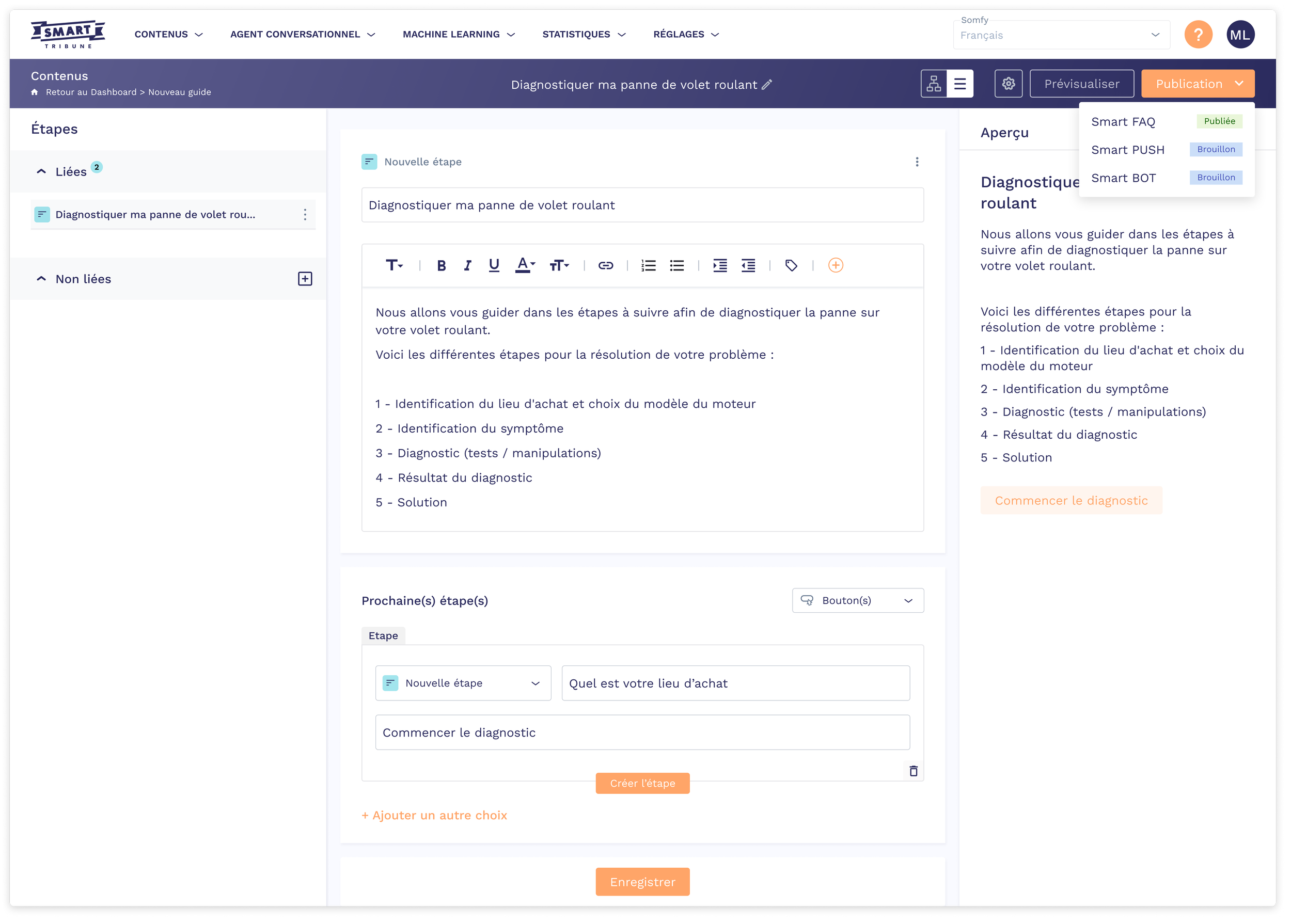
List view
This view allows users to easily manage the sequence of steps in a linear format. It features a clear interface where each step can be written, edited, linked, and enriched with sub-steps or links, facilitating rapid writing and control of the overall scenario.
Back-end
The UI design focused on simplicity and flexibility in creating decision trees. Two complementary viewing modes were developed:
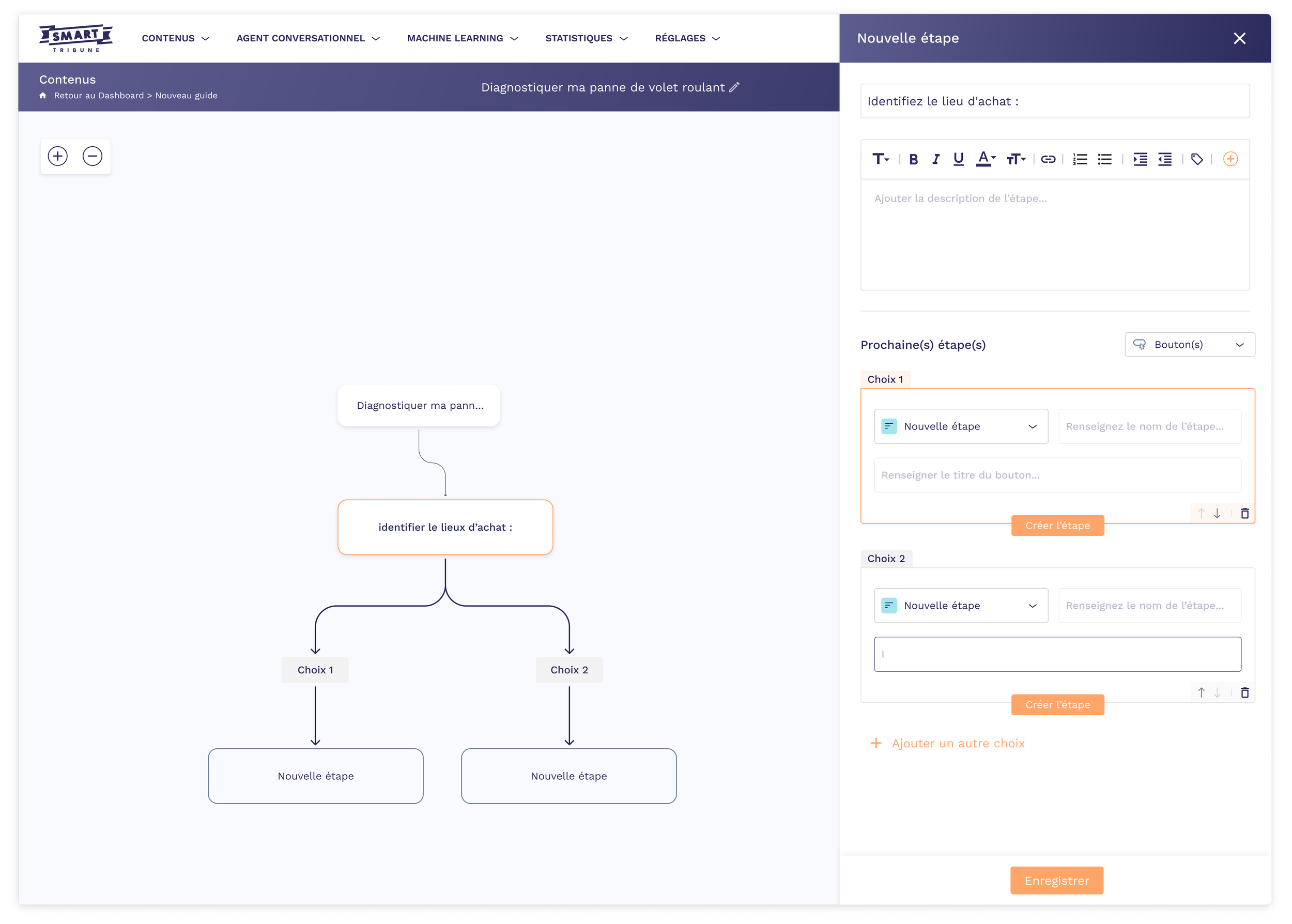
Diagram view
This view gives a graphical overview of the tree, making it easy to manipulate steps and understand complex logic with an intuitive drag-and-drop interface. Users can instantly see branches and the impact of each choice.
Live preview
A live preview feature is available at any time, allowing users to view the final version of the guide as it will appear to the end user when editing, adding, deleting or modifying a step or choice.
Front-end
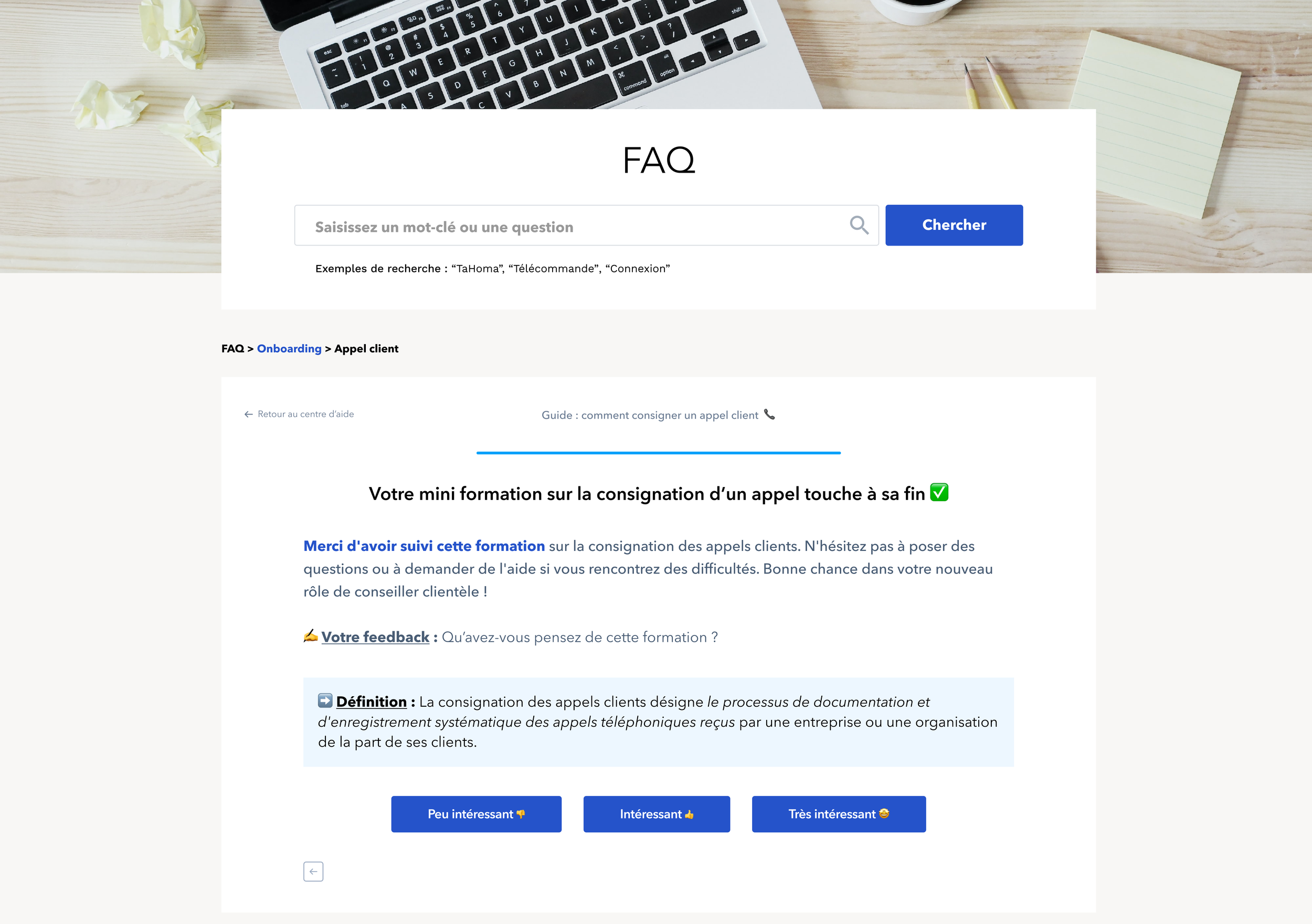
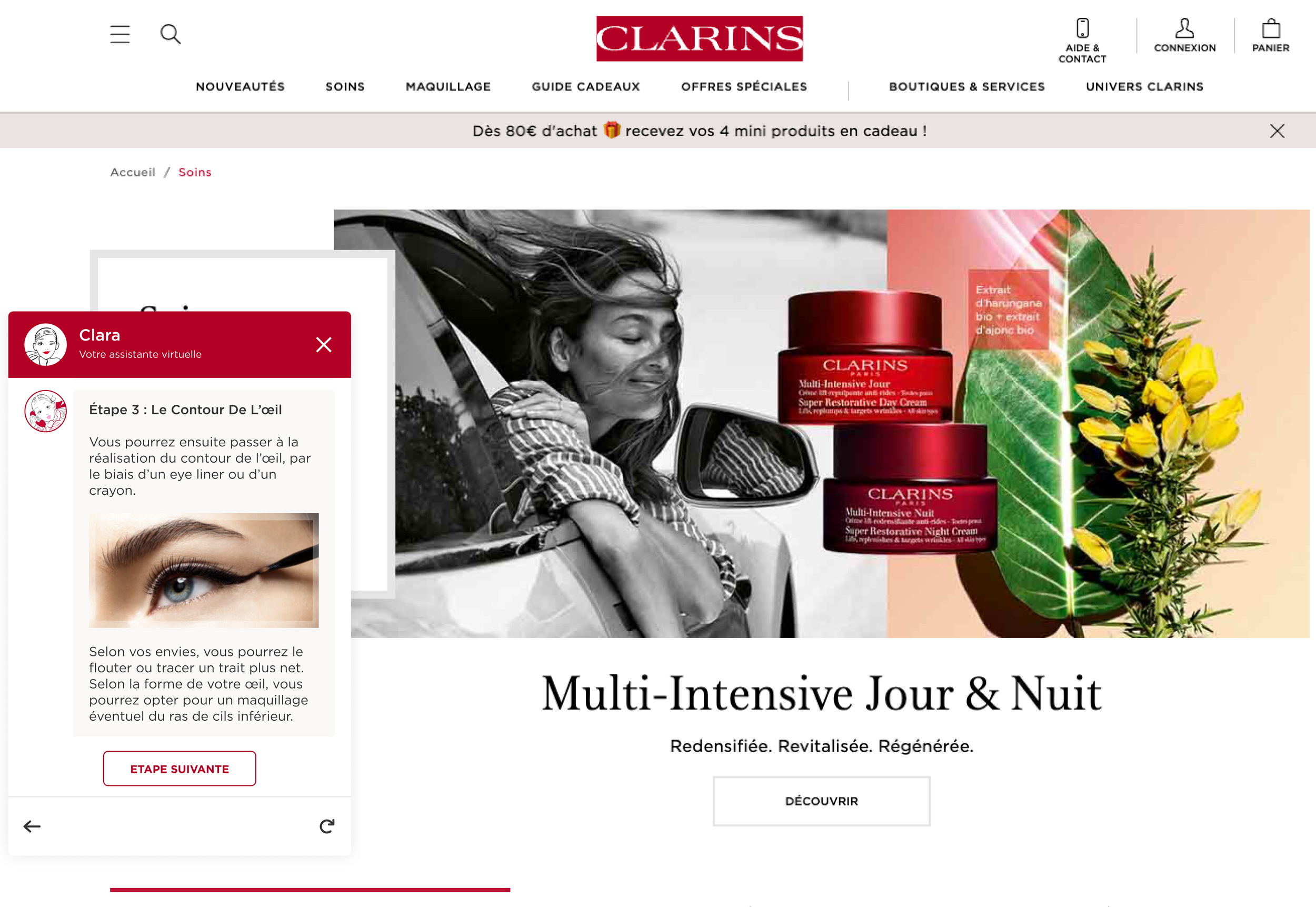
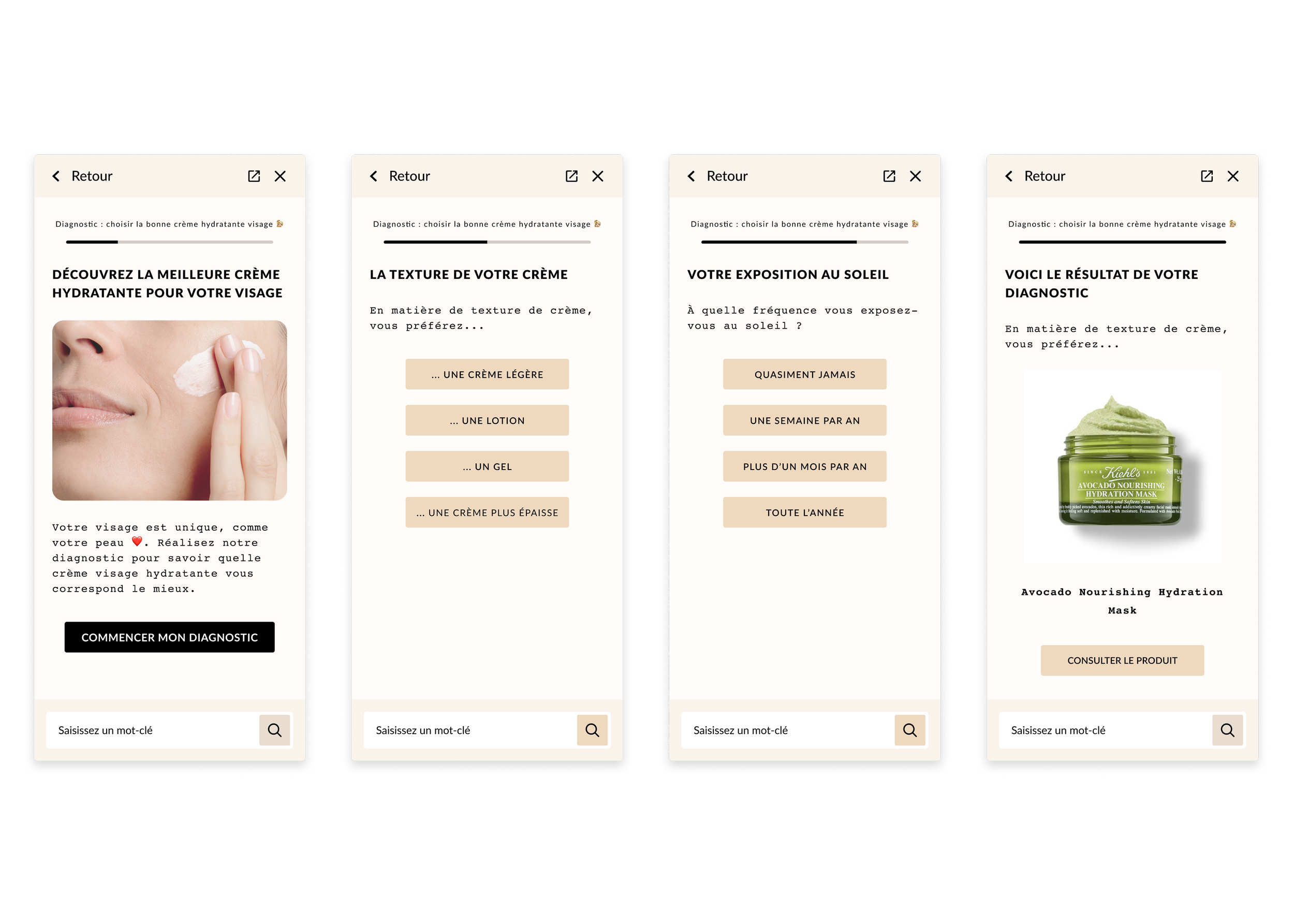
Finally, several front-end templates have been designed to ensure that the guides can be adapted to different channels: Interactive FAQ, Push, or Chatbot.
Each template guarantees a consistent, engaging and responsive experience on desktop and mobile, optimising the end customer experience.
Smart FAQ
Smart PUSH
Smart BOT
-
![]()
List View (back-end)
-
![]()
Diagram View (back-end)
-
![]()
Guide FAQ Onboarding (front-end)
-
![]()
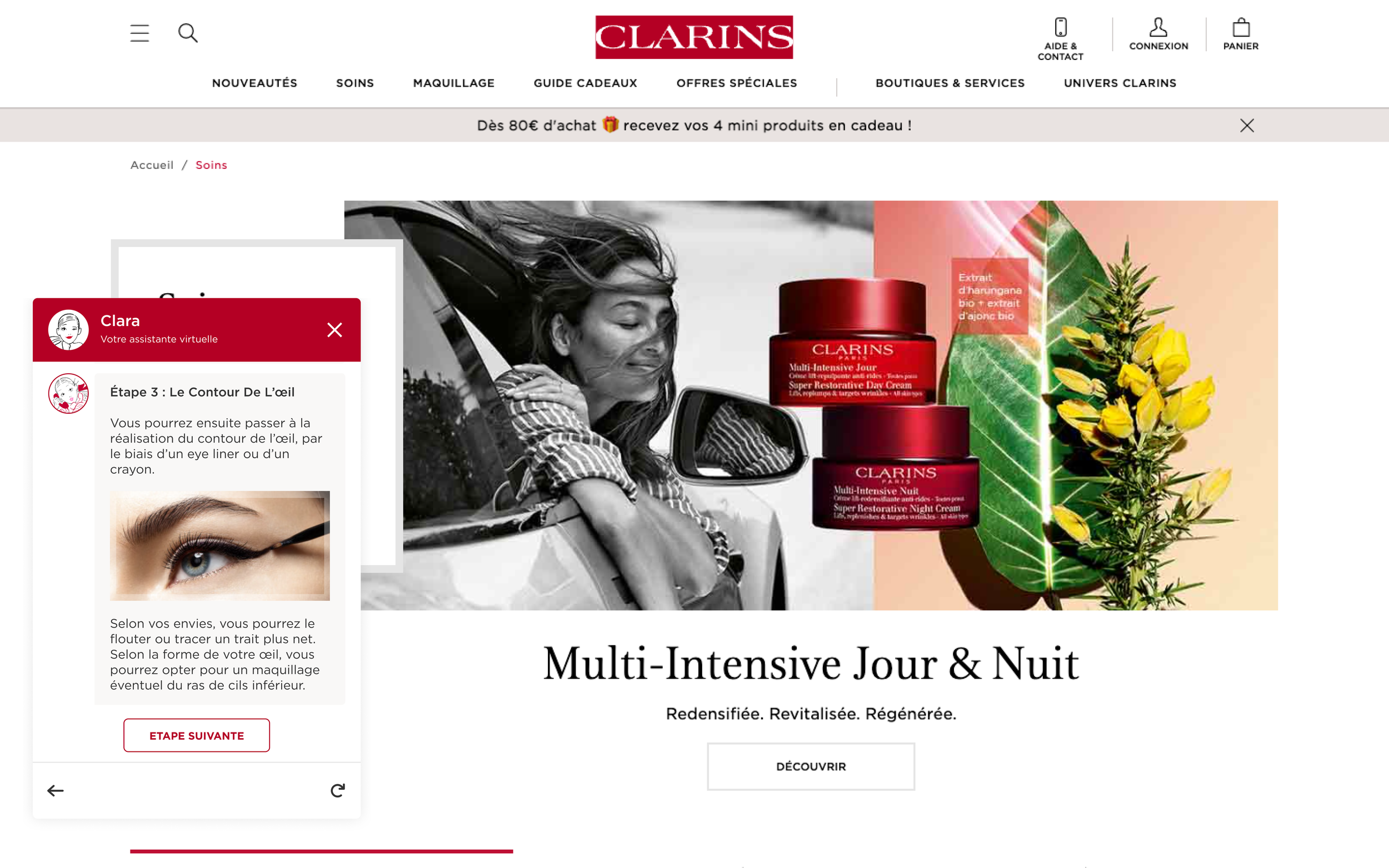
Guide BOT Clarins (front-end)
-
![]()
Guide PUSH Beauty (front-end)
Testing & Iteration
We conducted an internal user test (support, sales, marketing, finance, HR, Tech) to evaluate the simplicity and intuitiveness of the feature. Each Smart Tribune employee had to create a guide linking questions and answers, adding steps, choices, or external links.
The objective: to verify whether the solution allowed users to easily design appropriate guides.
Testers were able to compare creation in list view and diagram view, and measure the usefulness of the preview function. The feedback helped us identify strengths and areas for improvement, particularly in terms of ergonomics, clarity of navigation, and preview visibility.
Result
A majority of employees preferred the diagram view for building the guide, finding this option more visual and easier to understand when dealing with complex scenarios.
Some found the list view faster for serial modifications or creating very linear guides.
All considered the real-time preview feature essential for validating each step and correcting errors.


The tool was very intuitive to use. I was able to create my complete guide in less than 15 minutes, even without any prior technical experience.


I particularly appreciated the diagram view for quickly visualising my entire decision tree; it was much clearer than the list view.
The real-time preview helped me check the user journey and correct any errors before publication.

Analyze impact
The rollout of the Guide: decision tree has profoundly transformed the way customers and advisors access and use information.
Multilingual automation now allows stewards and managers to publish their guides (FAQs, PUSH, BOT) in multiple languages without the need for linguistic expertise. This centralisation instantly translates content and guarantees a smooth, consistent and uniform user experience internationally.
In addition, the interactive and accessible structure of the FAQs and guides significantly reduces recurring support tickets, encouraging end users to be more self-sufficient and lightening the load on teams.
The time savings also extend to the training process, with a major reduction in the time needed to get new agents up and running. The decision tree acts as a visual and educational guide, facilitating skill development while ensuring consistency in practices.
This new guide has made it possible to industrialise customer knowledge management, speed up interactions, improve the quality of responses and increase satisfaction among both advisors and end customers, thereby contributing to a genuine overall optimisation of customer service.
« The new Guide saves us considerable time when interacting with our customers. »
Keep reading
More examples of design that drives results.