
MIB Management
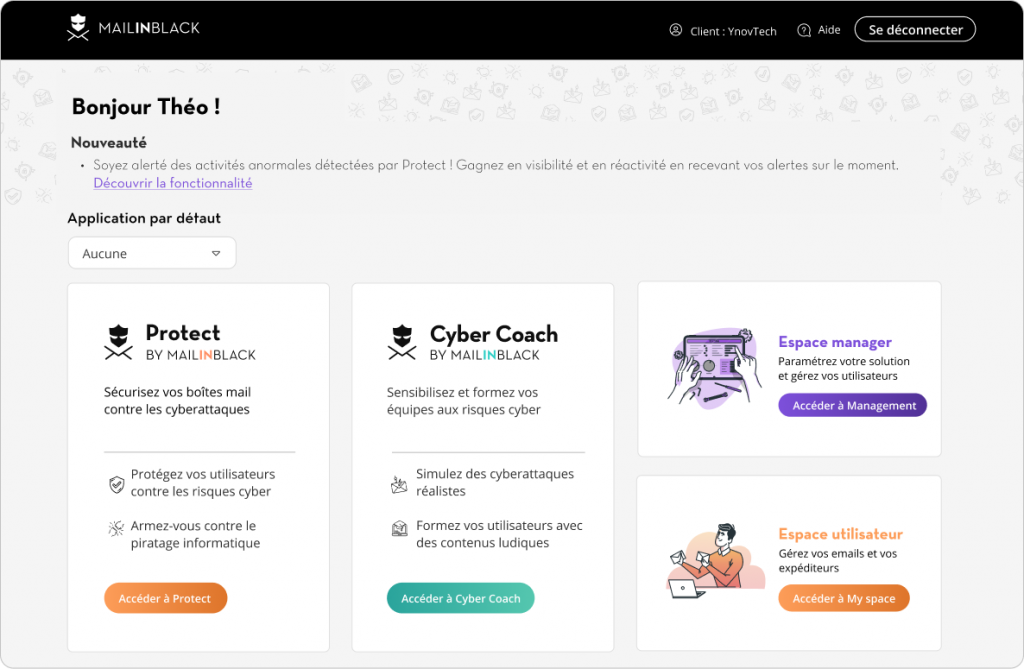
MIB IManagement space aims to simplify the configuration of the Mailinblack solution by offering total control to efficiently manage all users. It aims to streamline administrative processes, strengthen access control and optimise daily account supervision.
Goal
Provide a clear, unified view of the email security ecosystem.
Simplify the directory synchronisation process (critical for large organisations).
Make bulk actions more accessible and secure.
Improve user feedback on operations performed.
-
The entire interface required a complete overhaul for several critical reasons: General obsolescence of the interface:
Outdated design: Ageing interface no longer meeting current standards for B2B SaaS tools
Visual inconsistency: Lack of a unified design system, variations in style between modules
Fragmented user experience: Each section seemed to have been developed independently without an overall vision
Confusing navigation: Unclear information architecture making it difficult to locate features
-
Cognitive complexity: Administrators had to navigate a fragmented interface to manage users, domains, delegations, and directory synchronisations.
Lack of visibility: Difficulty obtaining an overview of LDAP/Azure AD synchronisation operations and their results.
Time-consuming processes: Directory synchronisation configuration was too technical and time-consuming
Opaque delegation management: Difficulty identifying who had access to what and why certain delegations could not be removed
-
Frustration among administrators and increase in support tickets
Barrier to adoption by new enterprise customers due to the learning curve
Risk of churn linked to the perception of a ‘legacy’ product
Loss of time for IT teams in their daily tasks

How might we …
Modernise the MIB Management interface so that administrators can effectively manage their organisation's email security without technical complexity?
1. Use and implementation of the new design system
The redesign is based on a modern and consistent design system visible in the mock-ups:
Colors
Primary purple (#5B3CC4) to define the Management area and differentiate it from other MIB areas: Main actions, active navigation, interactive elements
Functional secondary colours: Green (success), Red (errors/deletions), Cyan (transfers), Yellow (edits)
Neutrals: Light grey for backgrounds, black/dark grey text for readability
Typography
Modern, legible sans-serif font
Clear hierarchy with Titles in medium/bold, body text in regular
Sizes adapted for comfortable reading on professional screens
Standardised components
Buttons: Primary CTAs in purple, secondary in outline
Data tables: Clear structure with contextual actions
Cards: Used for metrics and synchronisation results
Horizontal stepper: To view progress in multi-step processes
Status badges: Consistent colour coding (purple for active, grey for inactive)
2. Wireframes - Iterations and structural choices
A. Information Architecture
Redesigned main navigation:
The left sidebar structures access to the eight main modules:
Clients
Domains
Users
Delegations
Directory synchronisation (focus of the redesign)
Permissions
Settings
Contracts / Help
Key structural choices:
Persistent header with user identity (Hi William!) and active client (Client: FDI Group)
Breadcrumb for contextual navigation
Main content area maximised for data tables

B. Synchronisation Process
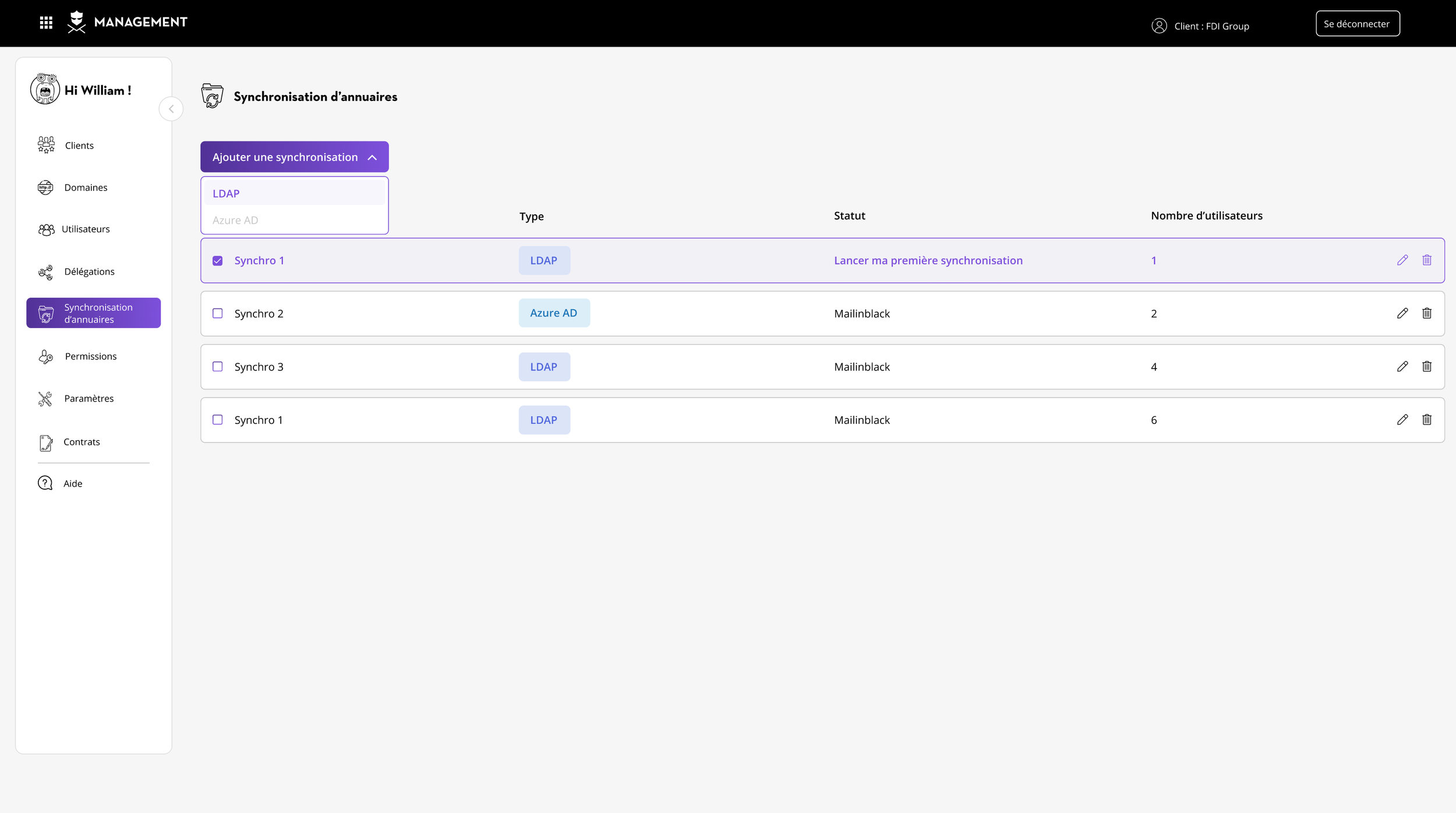
List of synchronisations (Starting point)
Objective of this step
Overview and entry point for managing all existing directory synchronisations and creating new ones. Available actions
Add synchronisation’ button with dropdown menu:
Option 1: LDAP ← The user clicks here for our use case.
Option 2: Azure ADVue d'ensemble et point d'entrée
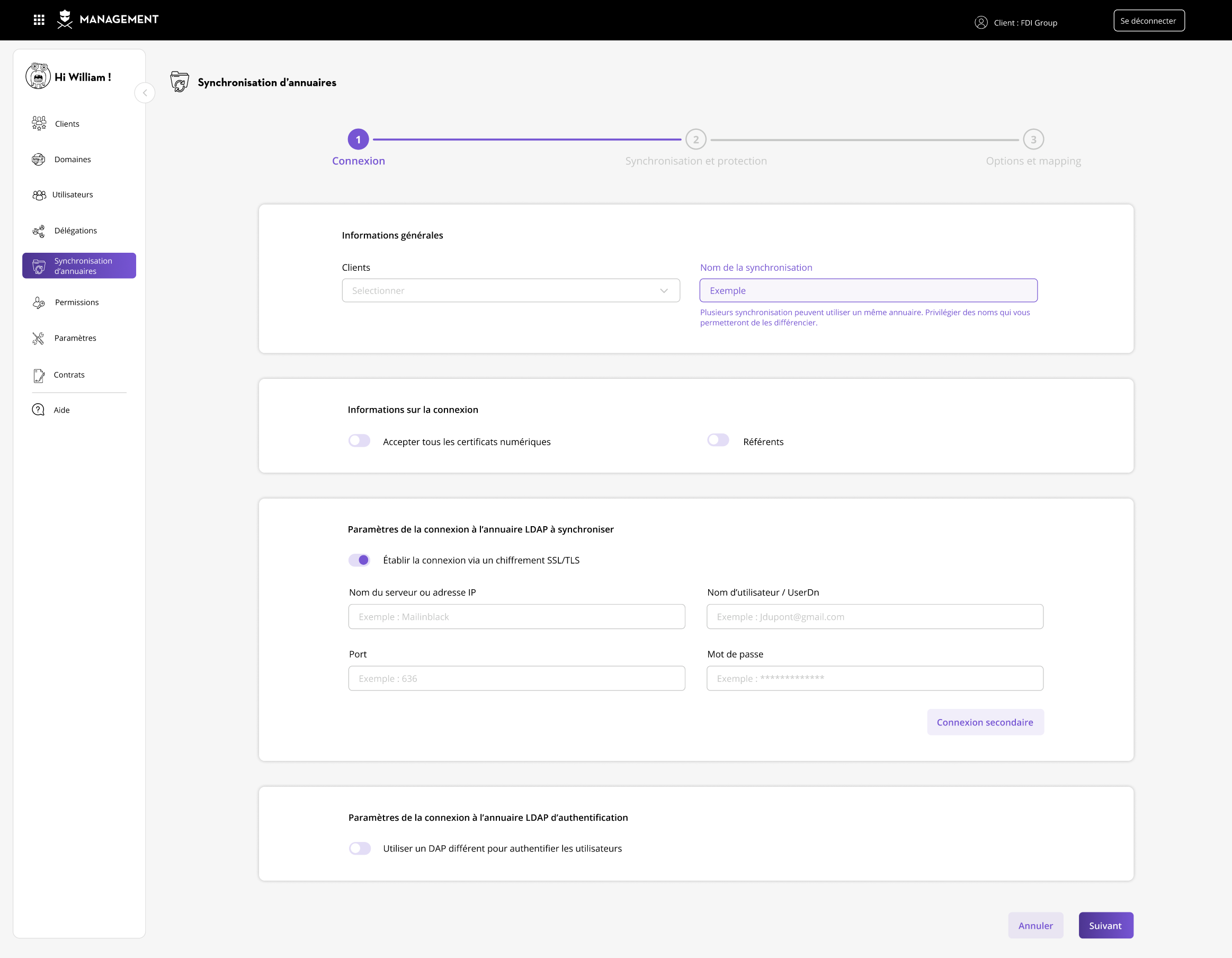
Initial configuration (Step 1/3):
Context and positioning in the flow :
The user is at step 1 of 3 in the process of configuring a directory synchronisation (LDAP or Azure AD).
The three-step horizontal stepper outlines the process:
Connection → 2. Synchronisation and protection → 3. Options and mapping
Objective of this step
This first step allows the administrator to establish the technical connection between Mailinblack and their organisation's LDAP directory server. This is the foundation on which all synchronisation will be based.
Success criteria: Connection successfully established and authenticated before moving on to step 2.
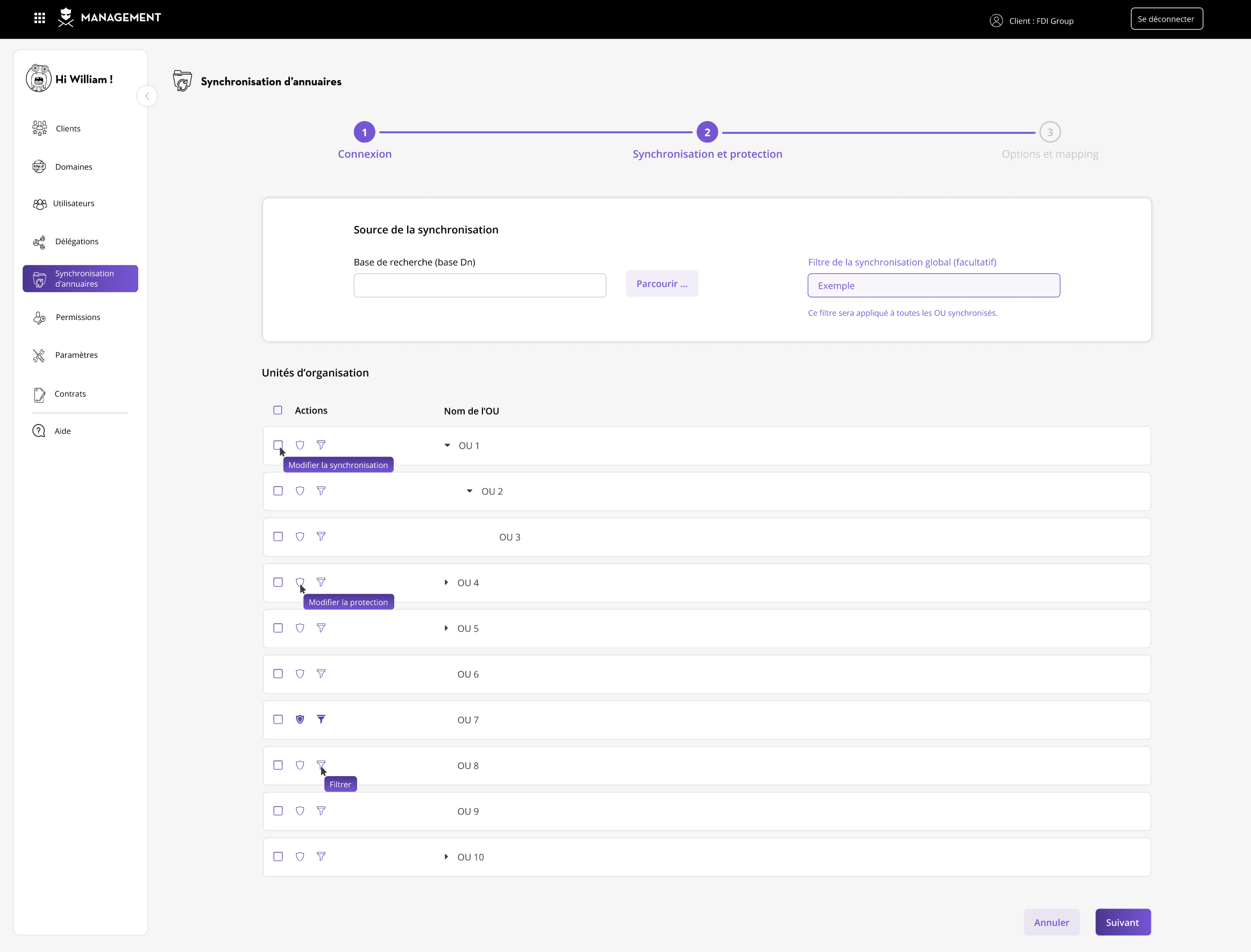
Synchronisation configuration (Step 2/3)
Context and positioning in the flow :
The user is at step 2 of 3 in the process of configuring a directory synchronisation (LDAP or Azure AD).
Purpose of this step
This crucial step allows the administrator to precisely define which parts of the LDAP directory should be synchronised with Mailinblack, and with which protection settings.
This is the most critical step because it determines who will be protected and how.
Why it is important:
The Base DN defines the starting point for searching the directory.
All Organisation Units (OUs) listed below will be subsets of this Base DN.
Options and Mapping (Step 3/3)
Context and positioning in the flow :
The user is at step 3 of 3 in the process of configuring a directory synchronisation.
Purpose of this step
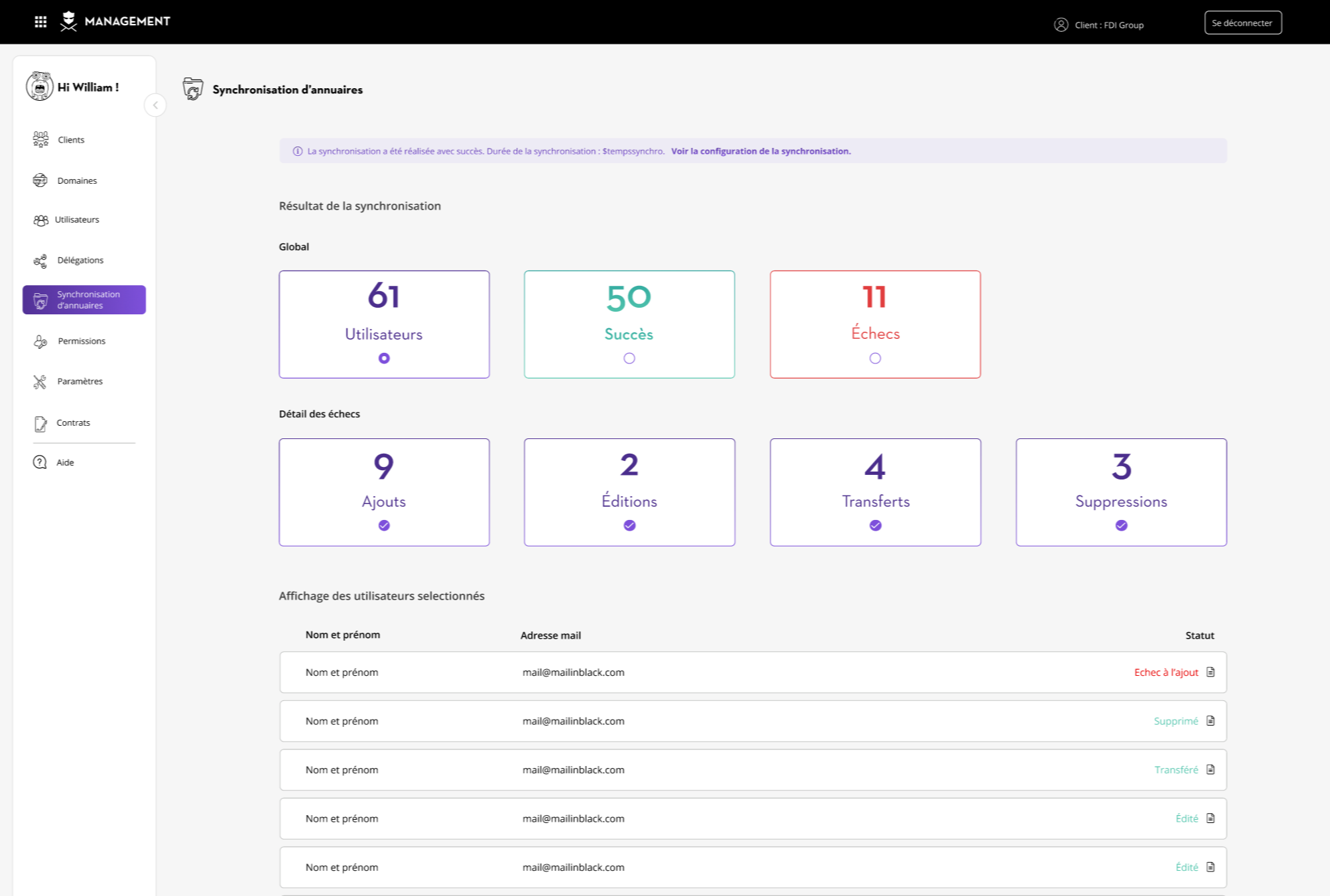
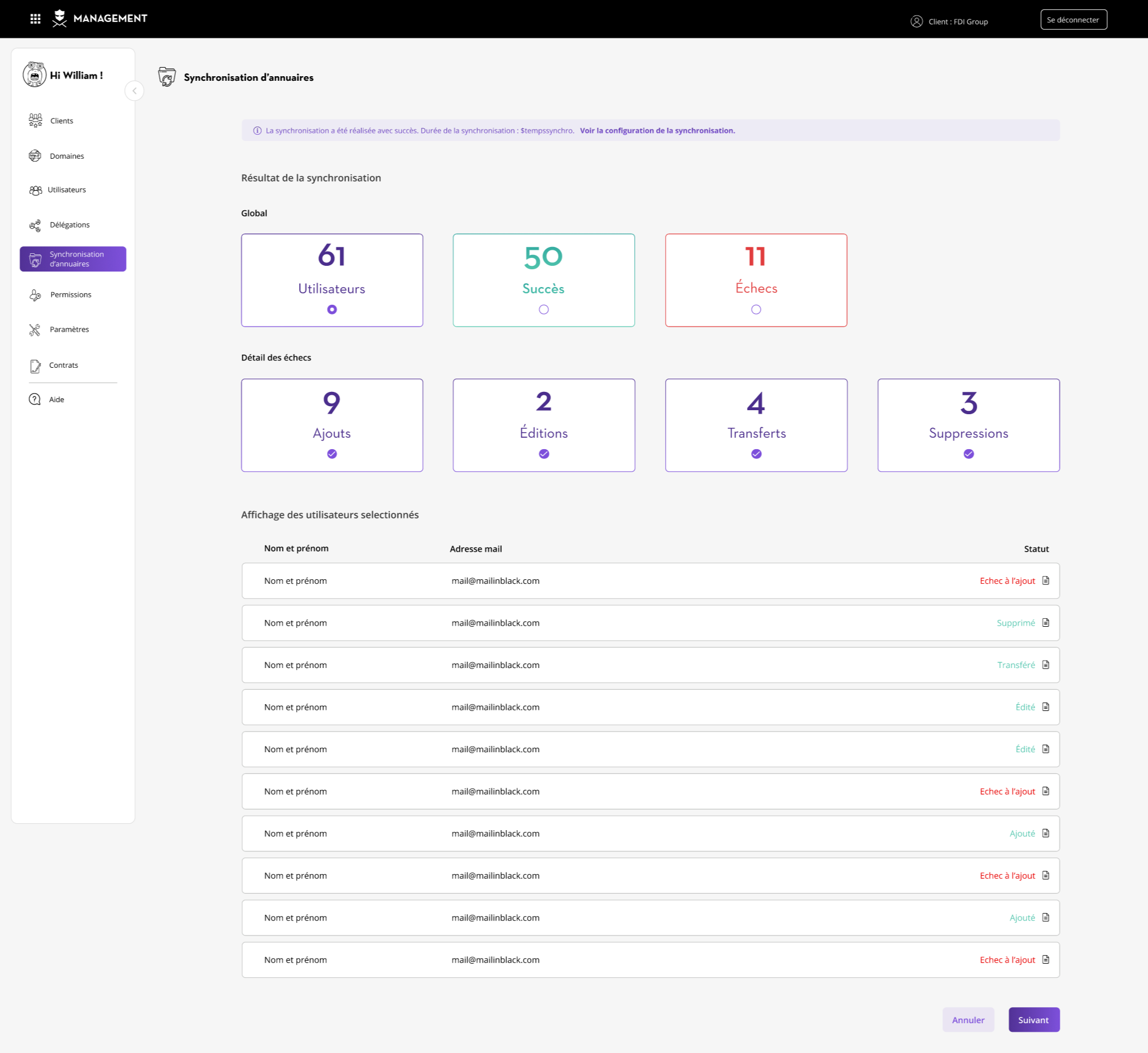
Provide comprehensive, actionable feedback on the synchronisation process: what worked, what failed, and why.
Benefits
Time savings: Investigation time reduced
Confidence: Complete visibility, no surprises
Prioritisation: Focus on the 9 failed additions (main problem)
Traceability: Audit and GDPR compliance covered
C. Delegations Module
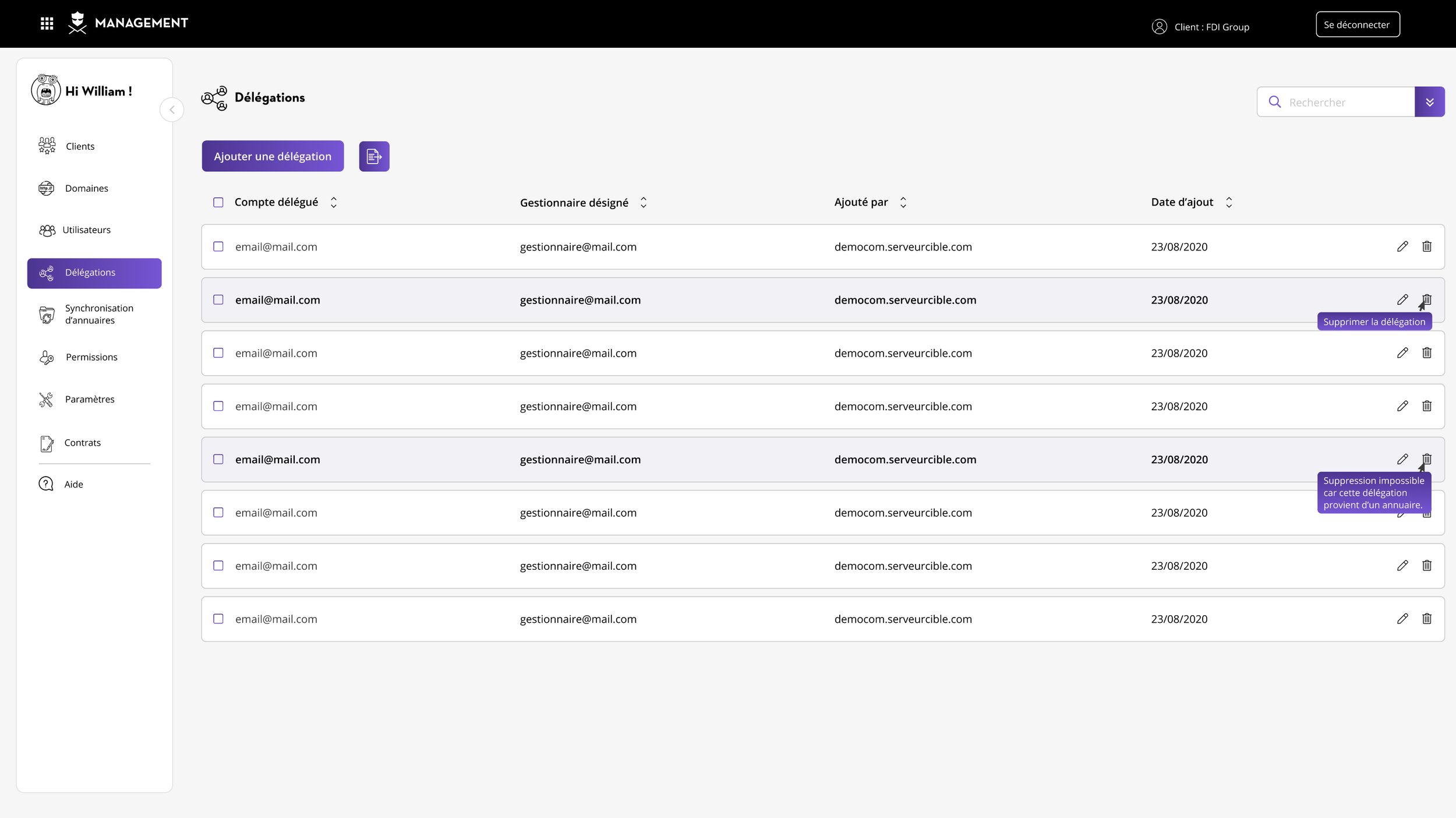
Main purpose
Distribute Mailinblack administration rights to other people in a controlled and traceable manner, without giving them full access to the platform.
Problem solved
In a large organisation, a single administrator cannot manage everything. This interface allows for secure and traceable decentralisation of administration, giving teams autonomy while maintaining central control and regulatory compliance.
Benefits
Autonomy: Delegates manage their own areas without depending on central administration
Security: Each delegate only has access to their own scope and No access to other departments/customers
Traceability: Who delegated what, to whom, and when '(Essential for audits and compliance GDPR, ISO 27001)
Scalability: The organisation can grow without administrative bottlenecks
D. Domains Module
Main purpose
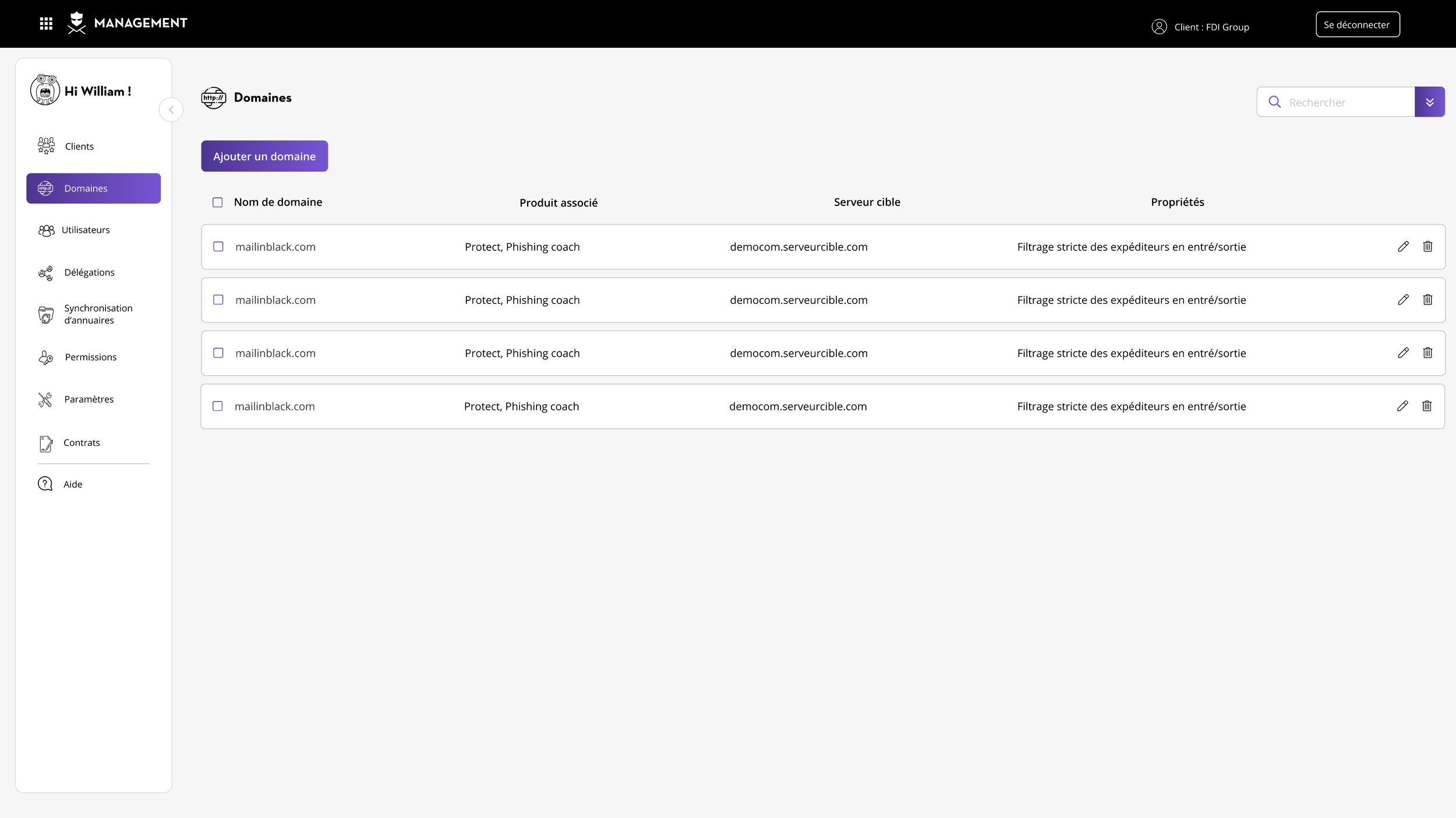
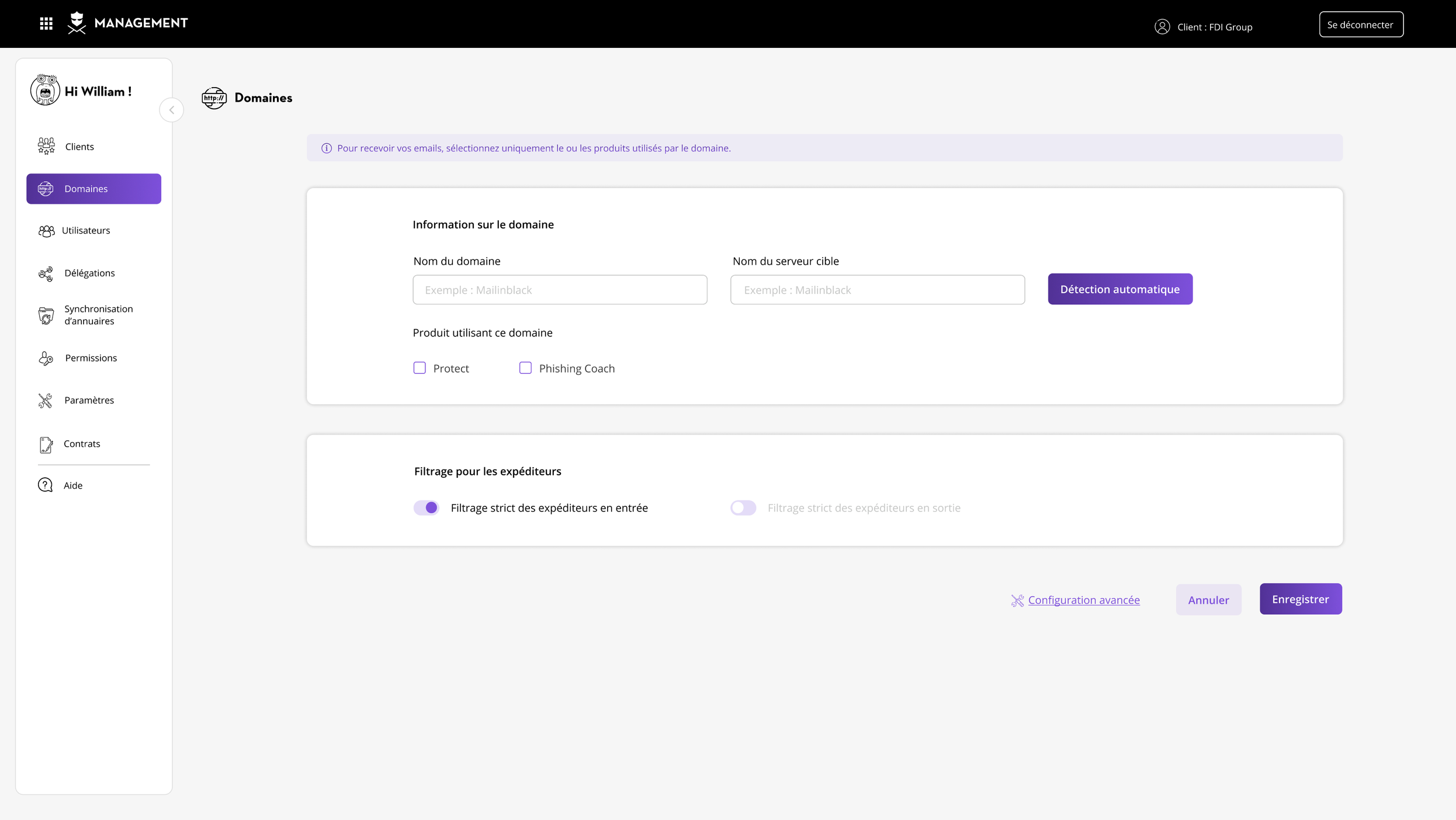
Manage email domains protected by Mailinblack: configuration, association with security products, and setting up filtering rules.
Problem solved
The Domains interface is the central point for configuring protected email domains, allowing each domain to be associated with the appropriate Mailinblack products (anti-spam, anti-phishing, training) and defining filtering and delivery rules for optimal protection.
Conclusion
The redesign of MIB Management represents a major evolution from a complex administration tool to a clear and efficient platform. Based on a consistent design system, redesigned user journeys (notably the synchronisation wizard) and intelligent contextual feedback, Mailinblack now offers its corporate customers total control without unnecessary complexity.
Impact
The project illustrates how a well-executed UX/UI redesign can transform an obstacle to adoption into a competitive advantage, particularly in the B2B world where ease of administrative management is a crucial selection criterion.
Keep reading
More examples of design that drives results.